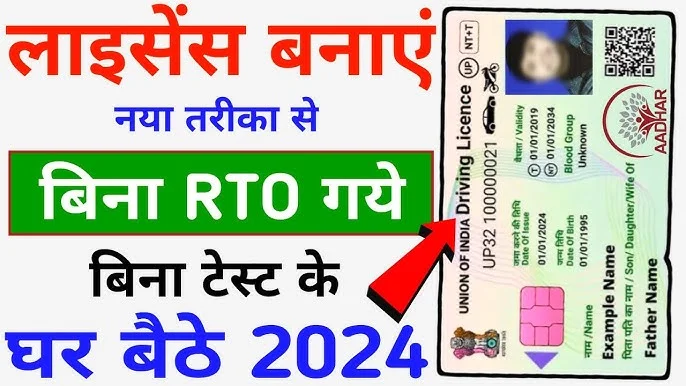
Remember the days when getting a driving license meant standing in long, sweaty queues for hours at the RTO? In 2026, those days are long gone. Thanks to the “Digital India” initiative, you can now apply for your Learner’s and Permanent Driving License from the comfort of your sofa using just your smartphone or laptop.
However, many people still find the government portals a bit confusing. That is why Webparsab has created this simplified, step-by-step roadmap to help you navigate the process without any stress. If you are ready to get behind the wheel, let’s get started!
Why You Should Apply Online
The shift to online applications is not just about convenience; it is about transparency. When you apply through the official Sarathi portal, every step is tracked digitally. This reduces the chances of errors and eliminates the need for middle-men or agents who often charge heavy fees.
At Webparsab, we believe that digital literacy is the key to saving time. By applying online, you can upload documents, pay fees, and even book your test slot at a time that suits your busy schedule.
Eligibility Criteria for a Driving License
Before you hit the “Apply” button, ensure you meet the legal requirements. While rules can vary slightly by state, the general standards in 2026 are:
- Age: 16 years (for gearless motorcycles up to 50cc), 18 years (for light motor vehicles/with gear), and 20 years (for commercial/transport vehicles).
- Learner’s License: You must hold a valid Learner’s License for at least 30 days before applying for a Permanent License.
- Education: Some states require a minimum of 8th-grade education for transport vehicle licenses.
- Health: You must be mentally and physically fit to drive.
Documents Required for Online Application
Keeping your documents ready beforehand will make the process much smoother. Webparsab recommends having scanned copies (PDF or JPEG) of the following:
- Age Proof: Birth Certificate, 10th Marksheet, or PAN Card.
- Address Proof: Aadhaar Card, Voter ID, or Utility Bills (Electricity/Gas).
- Photographs: Recent passport-size photos with a white background.
- Form 1 & 1A: Physical fitness declaration (usually downloadable from the portal).
- Existing License: Your Learner’s License number (if applying for a Permanent DL).
Step-by-Step Guide: Applying for Your License Online
The primary portal for all license-related services in India is the Parivahan Sarathi website. Follow these steps carefully:
Step 1: Visit the Official Parivahan Portal
Go to sarathi.parivahan.gov.in. On the home page, select your State from the dropdown menu.
Step 2: Choose the Service
If you are a beginner, click on “Apply for Learner License.” If you already have a learner’s permit, select “Apply for Driving License.”
Step 3: Fill the Application Form
Enter your personal details, including your name, address, and blood group. Ensure the details match your Aadhaar card exactly to avoid rejection.
Step 4: Upload Documents
Upload the scanned copies of your age and address proof. Make sure the files are within the size limit specified on the website.
Step 5: Pay the Fee
Use the online payment gateway (UPI, Net Banking, or Credit/Debit card) to pay the application fee. Webparsab suggests downloading the payment receipt immediately for future reference.
Step 6: Book Your Slot (DL Test)
For a Permanent License, you need to book a date and time for your driving test at the nearest RTO. For a Learner’s License, many states now allow an “Online LL Test” that you can take from home using your webcam.
Step 7: The Final Test
Visit the RTO on your scheduled date for the driving test. Once the officer approves your driving skills, your license will be dispatched via Speed Post to your registered address.
Apply Driving License
Official Online Application Portal for Learner & Permanent License (Sarathi)
Connecting to Sarathi Portal…
Hello , your application for in has been processed.
Next Step: Please visit your nearest RTO or use the Parivahan e-KYC service to finalize your documents.
Benefits of the Online Process
Switching to the online method offers several advantages that Webparsab readers should know:
- 24/7 Access: You can fill out the form at midnight or on a Sunday. The portal never closes.
- Secure Payments: No more carrying cash or worrying about overcharging. The government fees are fixed and transparent.
- Easy Tracking: You can check your application status simply by entering your application number.
- Contactless Services: Many services like “Change of Address” or “Renewal” are now fully “Faceless,” meaning you don’t even need to visit the RTO.
Common Problems & Solutions
Even with a smooth system, technical glitches can happen. Here are the most common issues and how to fix them:
| Problem | Solution |
| Payment Success but Status Pending: Money deducted but no receipt. | Do not pay again immediately. Wait for 24-48 hours. Check the “Verify Pay Status” link on the portal to refresh the data. |
| Document Upload Error: File size too large. | Use an online “Image Compressor” to reduce the file size below 200kb while keeping the text readable. |
| Slot Not Available: No dates are open for the test. | Slots usually open at a specific time (e.g., 10 AM or 11 AM) daily. Keep checking Webparsab for updates on RTO slot timings. |
| Aadhaar Mismatch: Name or DOB differs slightly. | Update your Aadhaar first at a nearby center. The Sarathi portal uses Aadhaar-based authentication (e-KYC) for speed. |
FAQ Section
1. Can I get a driving license without going to the RTO?
In 2026, you can get a Learner’s License without visiting the RTO if your state supports Aadhaar-based e-KYC. However, for a Permanent License, you must visit the RTO for the physical driving test.
2. What is the fee for a new Driving License?
The fee varies slightly by state but usually ranges between ₹1,000 and ₹1,500, including the test fee and smart card charges.
3. How long is the Learner’s License valid?
A Learner’s License is valid for 6 months. You can apply for a Permanent DL after 30 days from the date of issue of the Learner’s License.
4. Can I apply for a license in a different state than my home state?
Yes, but you must provide a valid “Proof of Residence” for the current state where you are applying.
5. What happens if I fail the driving test?
Don’t worry! You can pay a small re-test fee and book a new slot after 7 days. Webparsab recommends practicing thoroughly before your second attempt.
Conclusion
Applying for a driving license online from home is a major milestone in making our lives easier. It saves time, energy, and money. By following the steps outlined in this guide and ensuring your documents are in order, you can secure your license with minimal effort.
Remember, a driving license is not just a permit to drive; it is a responsibility. Always follow traffic rules and drive safely. For more such helpful guides on technology, government schemes, and digital tools, keep visiting Webparsab.